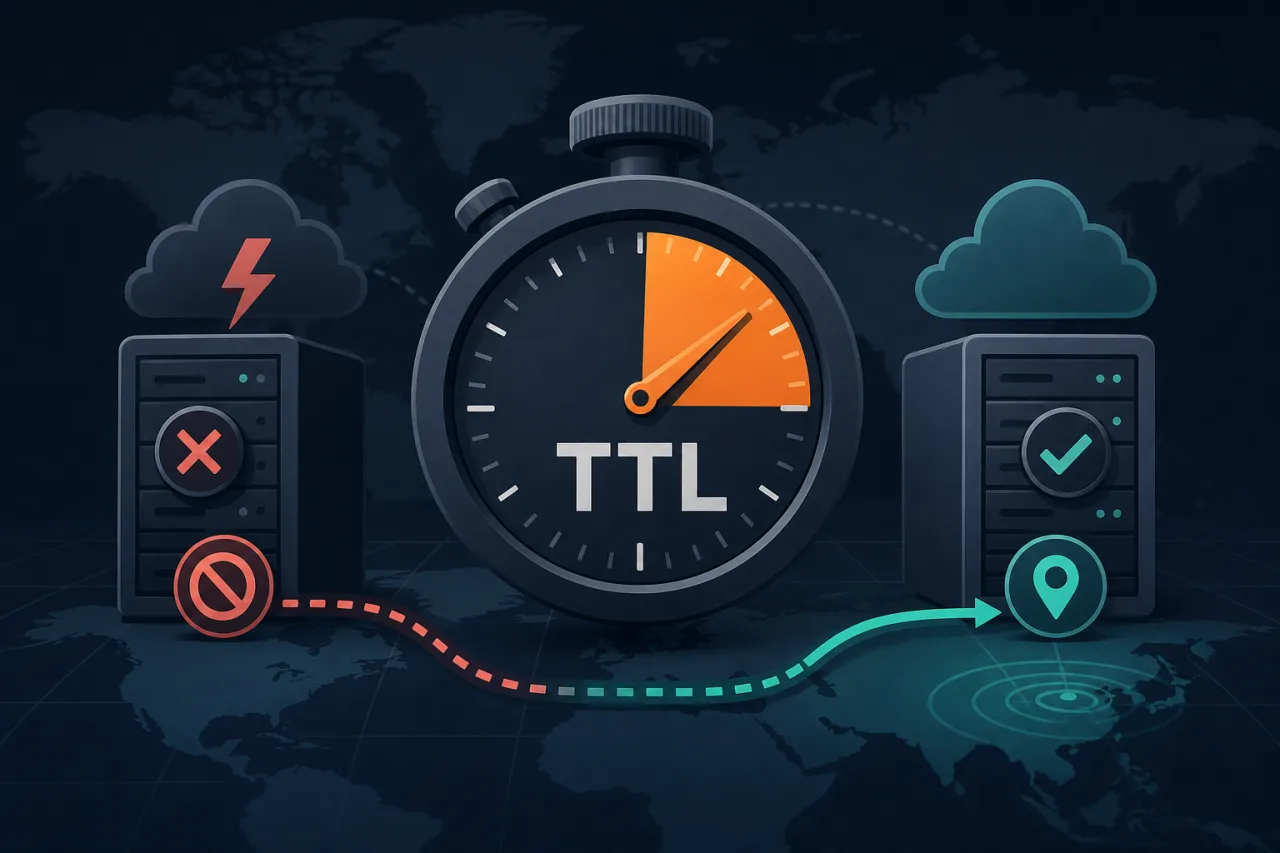
Why TTL Is the Hidden Variable in Your Failover Plan
When an origin goes down, your incident timeline has two distinct phases: detection and propagation. Most teams spend energy on detection — alerts, on-call rotations, runbooks — but forget that even after you've updated a DNS record, the old answer is cached everywhere. That cache lifetime is controlled entirely by the TTL you set.
Get it wrong and you're watching a resolver hand out a dead IP for another hour while your users hit timeouts.
What TTL Actually Controls
TTL (Time to Live) is a value, in seconds, attached to every DNS record. It tells resolvers — and browsers, and operating systems — how long they're allowed to cache that answer before asking again.
- High TTL (3600s+): Less DNS query load, but slow propagation on changes.
- Low TTL (30–60s): Fast failover and rollback, but more queries to your nameservers.
- Zero TTL: Technically valid; practically problematic. Many resolvers floor it at 30–60s anyway, and some CDNs refuse to cache at all.
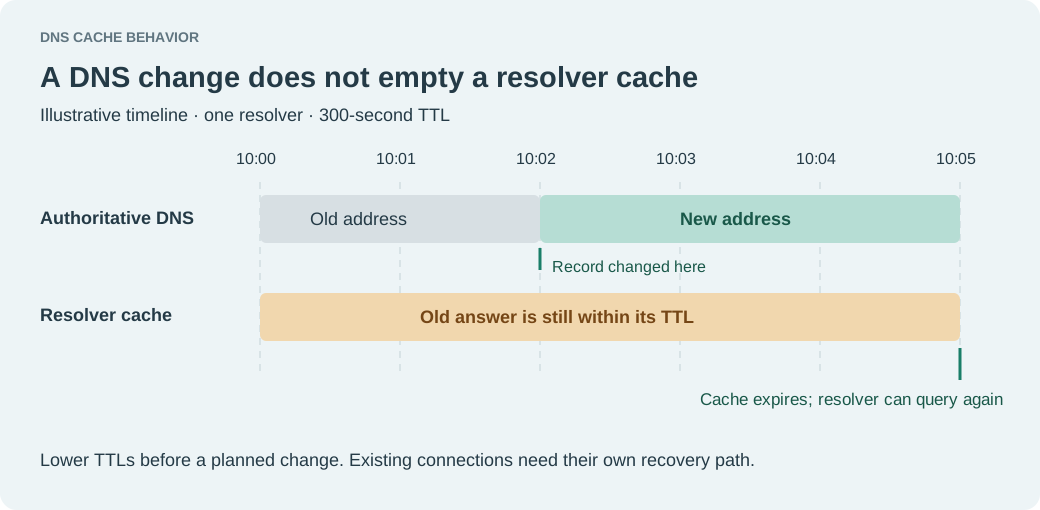
TTL is not a global flush button. When you change a record, resolvers that cached the old answer within the last TTL window will keep serving it until their cache expires. There is no broadcast.
Choosing a TTL for Production Services
The Steady-State vs. Pre-Failover Split
Running a permanently low TTL has a cost: every additional DNS query is latency added to cold cache lookups, and it increases load on your authoritative nameservers. The right pattern is to use a tiered approach:
- Normal operation: Set TTL to 300–600 seconds (5–10 minutes). This is a reasonable balance — propagation within a predictable window, nameserver load stays manageable.
- Before a planned change or during elevated risk: Drop TTL to 30–60 seconds before the event. Because you need to wait out the current TTL before the lower value takes effect, do this at least one full TTL cycle ahead of time.
- After the change stabilizes: Raise TTL back to your steady-state value.
This is sometimes called the "TTL ramp-down" technique and it's the single most underused tool in DNS failover planning.
Record Type Matters
- A/AAAA records are the primary failover lever. These should carry your lowest TTL for critical services.
- CNAME records add a lookup hop; the TTL on both the CNAME and its target affect total propagation time.
- NS and SOA records have their own TTLs and are controlled at the registrar level — don't confuse these with your zone's record TTLs.
- MX records can typically stay at higher TTLs unless you're failing over mail infrastructure specifically.
The Propagation Window Is Not Magic
A common misconception: "DNS propagates globally in X minutes." This isn't how it works. Propagation is just resolvers respecting TTL expiry. If a resolver cached your old answer 59 seconds before you made a change, and your TTL is 60s, that resolver will hold the old answer for one more second. If it cached it one second before your change, it holds for 59 more seconds. On average, expect about half your TTL window before the majority of resolvers pick up the new answer — but long-caching resolvers (some ISPs ignore TTL and cache up to 24 hours) are a real-world problem you can't fully control.
Pairing Low TTLs With Active Monitoring
A low TTL creates the capability for fast failover. But someone or something still has to notice the failure and update the record — whether that's automated DNS failover (via your DNS provider's health checks) or a human acting on an alert.
This is where external monitoring from multiple regions matters. A monitor running from a single location can miss failures that are geographic or network-path specific. If your monitoring sees the service as healthy from one region but your users in another are timing out, you won't trigger failover. Services like Pingy run checks from multiple locations, which gives you a more accurate signal before you commit to a DNS change.
The operational loop looks like this:
- Monitor detects failure from multiple vantage points
- Alert fires within seconds
- Automated or manual DNS update points to backup origin
- Because TTL was already low, resolvers pick up the change within 30–60 seconds
- Traffic shifts; incident scope narrows
Key Takeaways
- TTL determines how long the old DNS answer survives after you make a change — it's your failover speed limit.
- Ramp TTL down before you need to fail over, not after. You need to wait out the existing cache first.
- A 30–60s TTL on critical A records is a reasonable floor for services with active failover automation.
- Zero TTL is not a reliable option; resolver behavior varies and some floors exist.
- Propagation is stochastic, not instant — plan for the tail, not the average.
- Fast TTLs are only useful if you have reliable, multi-region detection to trigger the change in the first place.
Great read!