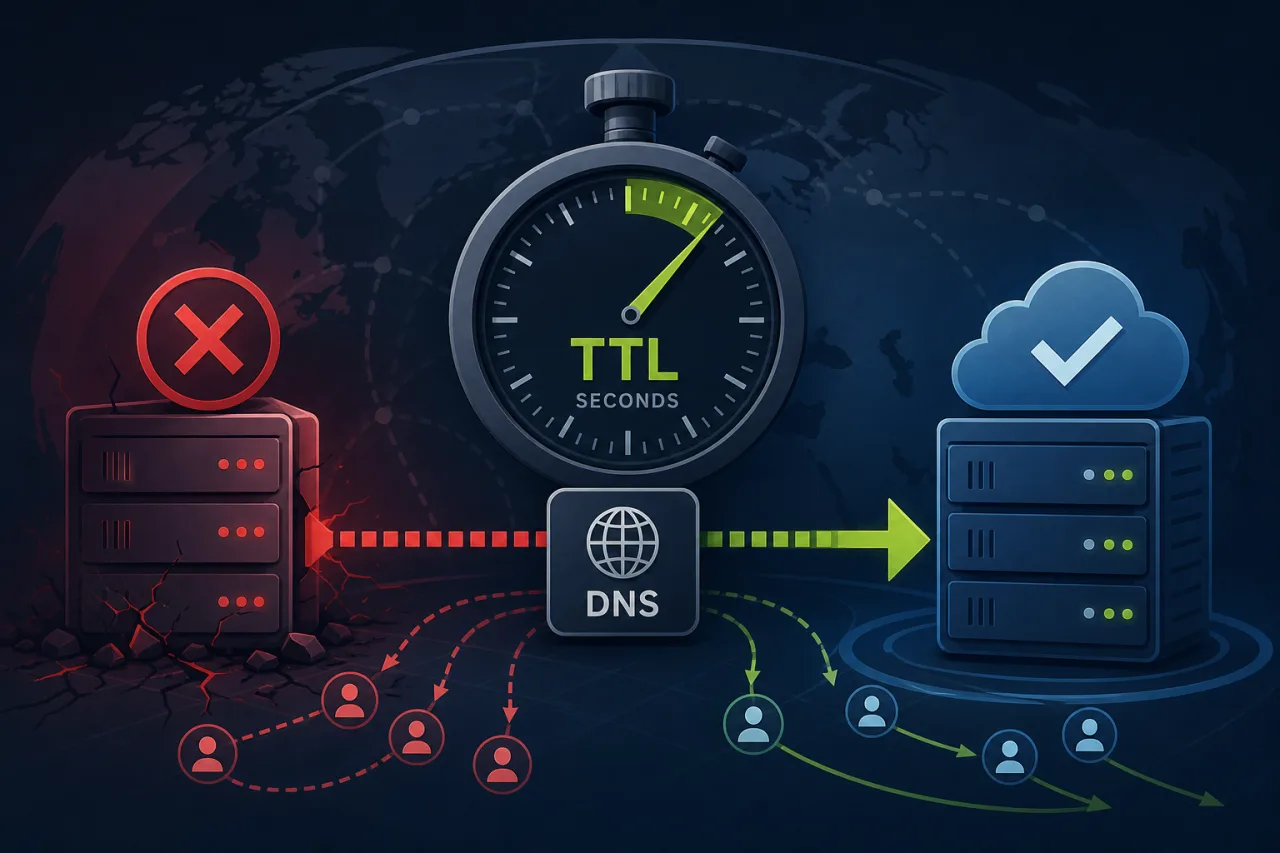
Why TTL Is the Hidden Variable in Your Failover Plan
When an origin server goes down, your failover playbook probably involves health checks, load balancers, or DNS-based routing. But there's a number sitting quietly in your zone file that determines how fast any of that actually takes effect: the TTL (Time to Live).
TTL tells resolvers—and every caching layer between them and your users—how long to keep a DNS record before asking again. Set it too high and a DNS change you make right now won't reach clients for hours. Set it too low and you're hammering authoritative nameservers unnecessarily.
Getting this right is less about picking a magic number and more about understanding the tradeoffs at each layer.
How TTL Propagation Actually Works
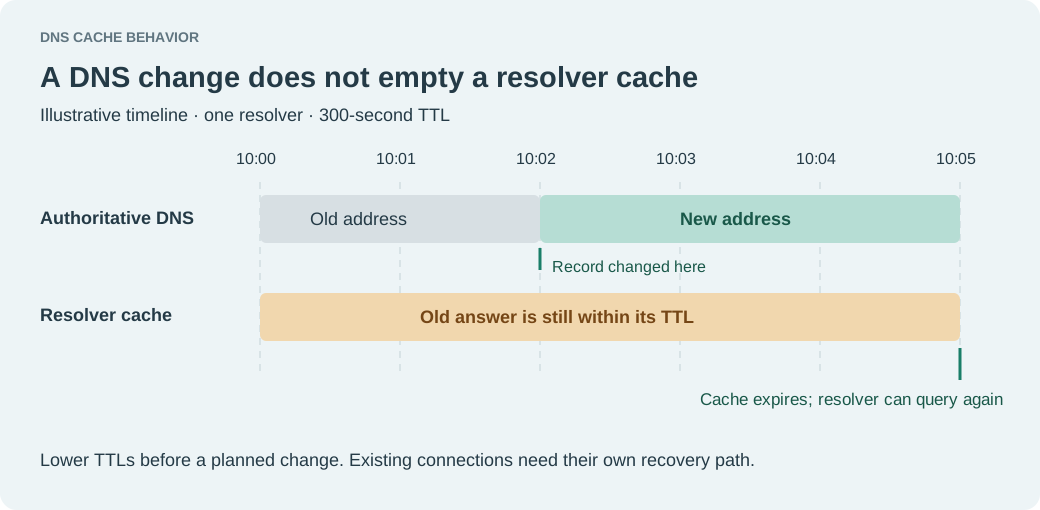
When a resolver caches a record, it honors the TTL at the moment it fetched it—not the moment you changed it. This means:
- A record with a 3600-second TTL that was cached 30 seconds ago will stay stale for another 3570 seconds after you update it.
- Resolvers are under no obligation to re-query before the TTL expires, even if you've already pushed a change.
- Some resolvers (and certain ISPs) cap or ignore TTLs, either flooring them at a minimum or extending them beyond what you've set.
Practical implication: your effective propagation time is always at least as long as your current TTL, often longer.
Choosing a TTL for Different Record Types
Traffic-bearing A and AAAA records
For records pointing to your primary origin or load balancer, a TTL in the 60–300 second range is a reasonable starting point if you want DNS-based failover to be meaningful. Some teams go as low as 30 seconds during active incidents, though that comes with increased query volume.
CNAME records for CDN or third-party endpoints
These are often controlled by the provider. Check what TTL the CNAME target itself advertises—your authoritative record's TTL only governs the first hop.
MX and NS records
These change rarely and caching them aggressively (3600–86400 seconds) is fine. Changing NS records mid-incident is almost never the right move anyway.
TXT records (SPF, DKIM, domain verification)
These can tolerate higher TTLs. Just remember that if you need to rotate a DKIM key, that 24-hour TTL becomes a problem.
Pre-Lowering TTLs Before Planned Changes
The most practical technique for reducing propagation pain is pre-lowering your TTL before you need it:
- At least one full TTL-cycle before a planned change, lower the TTL on the target record to 60–120 seconds.
- Wait for that new short TTL to propagate (you're waiting out the old cache lifetime).
- Make your DNS change.
- Once the change has stabilized, raise the TTL back to your normal operational value.
This is especially important before maintenance windows, deployments involving IP changes, or any migration where a rollback path matters.
DNS-Based Failover: What to Actually Monitor
DNS-based failover—whether via Route 53 health checks, Cloudflare Load Balancing, or NS1 routing policies—relies on health check results to decide which record to serve. A few things to get right:
- Health check interval and threshold: Most providers let you set check intervals as low as 10 seconds with a failure threshold of 1–3 consecutive failures. Tune this based on your tolerance for false positives.
- TTL on failover records: Your routing policy's TTL should be low enough that once the health check flips, clients pick up the new answer quickly. 30–60 seconds is common.
- Geographic coverage of health checks: A health check running from a single region can miss a regional outage that only affects part of your user base. Running checks from multiple locations gives you a more accurate signal—this is the core value of a monitoring service like Pingy, which probes from multiple regions continuously.
- Propagation lag is additive: Health check failure detection time + DNS TTL + resolver cache age = total failover time. Optimize all three, not just one.
A Practical TTL Checklist
- Audit your zone file and note the current TTL on every A/AAAA record serving production traffic
- Lower TTLs on traffic-bearing records to ≤300 seconds if you intend DNS-based failover to be fast
- Pre-lower TTLs at least one TTL-cycle before any planned migration
- Confirm your DNS provider's health check interval and failure threshold settings
- Verify health checks run from more than one geographic region
- After an incident, raise TTLs back to operational values to reduce nameserver load
- Document your current TTLs in your runbook so on-call engineers know what propagation delay to expect
Key Takeaways
- TTL determines your minimum failover time—you can't recover faster than your current cache lifetime allows.
- Pre-lower TTLs before changes, not during incidents.
- DNS failover time is the sum of health check latency, TTL, and resolver cache age—tune all three.
- Single-region health checks create blind spots; multi-region monitoring gives you a reliable failure signal.
- Higher TTLs are fine for records that rarely change; aggressively low TTLs everywhere just create noise.