
Why Health-Check Failover Matters
A load balancer that blindly forwards requests to a dead backend is worse than no load balancer at all — it turns a partial outage into a user-visible error rate. HAProxy solves this with active health checks: it probes each backend on a configurable interval and removes unresponsive servers from the pool without any human intervention.
This guide covers the practical configuration you need to make that work reliably.
How HAProxy Health Checks Work
HAProxy distinguishes between two check types:
- TCP checks — opens a connection to the backend port and considers the server healthy if the handshake completes.
- HTTP checks — sends a real HTTP request and evaluates the response status code. This is almost always what you want for web services.
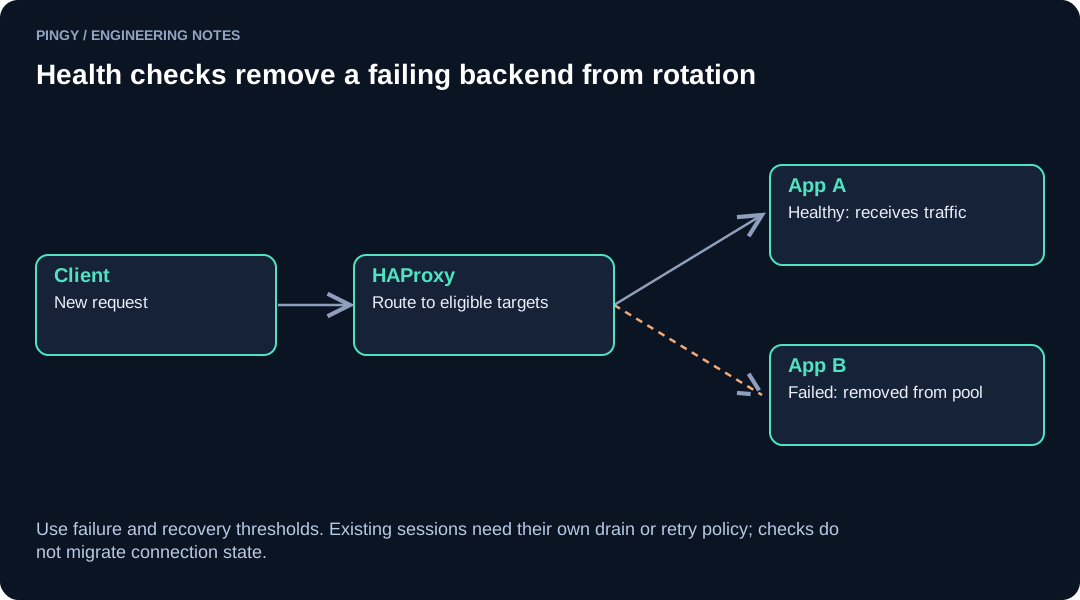
When a backend fails rise consecutive checks it is marked UP; when it fails fall consecutive checks it is marked DOWN and removed from rotation. Traffic is redistributed to healthy peers immediately.
Basic Configuration
Here is a minimal but production-relevant haproxy.cfg snippet:
defaults
    mode http
    timeout connect 3s
    timeout client  30s
    timeout server  30s
    option redispatch
    retries 2

frontend web
    bind *:80
    default_backend app_servers

backend app_servers
    balance roundrobin
    option httpchk GET /healthz HTTP/1.1\r\nHost:\ app.example.com
    http-check expect status 200
    default-server inter 5s fall 3 rise 2 on-marked-down shutdown-sessions
    server app1 10.0.1.10:8080 check
    server app2 10.0.1.11:8080 check
    server app3 10.0.1.12:8080 check
Key Directives Explained
| Directive | What it does |
|---|---|
option httpchk |
Enables HTTP health checks with a specific method and path |
http-check expect status 200 |
Only a 200 response is treated as healthy |
inter 5s |
Check interval per server |
fall 3 |
Mark DOWN after 3 consecutive failures |
rise 2 |
Mark UP after 2 consecutive successes on recovery |
on-marked-down shutdown-sessions |
Drops existing sessions to a failed server immediately |
option redispatch |
Retries a failed request on a different backend |
Designing a Meaningful /healthz Endpoint
The health-check endpoint is only useful if it actually reflects the application's ability to serve traffic. A route that returns 200 OK unconditionally defeats the purpose.
Your /healthz handler should check:
- Database connectivity (run a lightweight query, not a full scan)
- Any required caches or queues the app depends on at startup
- Disk space if the app writes to local storage
- Application-level readiness (e.g., config loaded, not in drain mode)
Return 200 only when all checks pass. Return 503 otherwise. Keep the handler fast — under 500 ms — so check intervals stay tight without piling up connections.
Tuning fall, rise, and inter
The defaults are conservative. For most production deployments:
inter 3sto5s— frequent enough to catch failures quickly without hammering the backend.fall 2orfall 3—fall 2detects failures faster;fall 3tolerates transient blips. Pick based on your SLA sensitivity.rise 2— requiring two successes before reinstating a server prevents flapping.- For backends that are slow to start (JVM apps, for example), add
slowstart 60sto ramp traffic gradually on recovery rather than flooding a freshly started instance.
Verifying Failover Behaviour
Don't wait for a real incident to test this. Run through these steps in staging:
- Start all backends and confirm HAProxy shows them UP via the stats page (
stats uri /haproxy?stats). - Kill one backend process (
kill -9orsystemctl stop) and watch the stats page until it transitions to DOWN. - Send a burst of requests (
wrkorhey) and confirm zero errors reach the client. - Restart the backend and verify HAProxy reinstates it after
risesuccessful checks. - Simulate a slow response (e.g.,
sleep 10in the handler) and confirm HAProxy'stimeout servertrips and the server is marked DOWN afterfallfailures.
Where External Monitoring Fits In
HAProxy's health checks protect traffic inside your infrastructure, but they don't tell you whether the service is reachable from the outside world. A misconfigured firewall rule or a BGP hiccup won't show up in HAProxy's stats at all.
An external uptime monitor — checking your public endpoint from multiple regions — closes that gap. If HAProxy's internal checks are green but your monitor reports the site is down, you know the problem is upstream: DNS, routing, TLS termination, or the load balancer itself. Pingy's multi-region checks, for example, can alert you to exactly this class of failure before your users start filing tickets.
Key Takeaways
- Use
option httpchkwithhttp-check expect status 200rather than relying on TCP checks alone. - Make
/healthzreflect real application health, not just process liveness. - Set
fall 2–3andrise 2as a starting point; tune from there based on observed flap rates. - Add
slowstartfor backends that need warm-up time after a restart. - Test failover intentionally in staging — kill processes, simulate timeouts, verify the stats page.
- Pair internal health checks with external monitoring to catch failures HAProxy can't see.