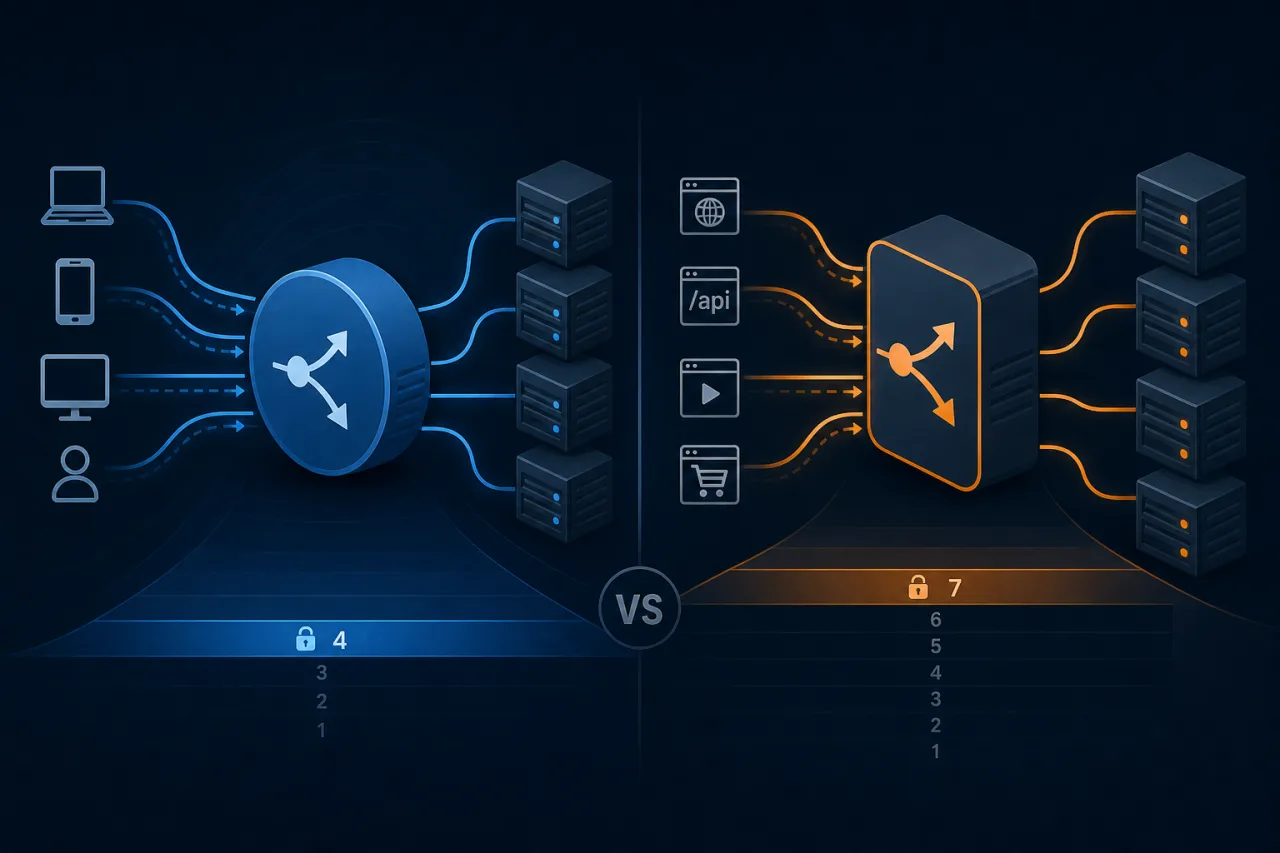
A Layer 4 load balancer selects a target for a transport connection or flow. A Layer 7 load balancer can make a routing decision for an application request, such as an HTTP request for /api/orders.
That difference determines which routing rules you can use. TLS termination, health checks and failure behavior are separate choices that also need attention.
Follow a connection through Layer 4
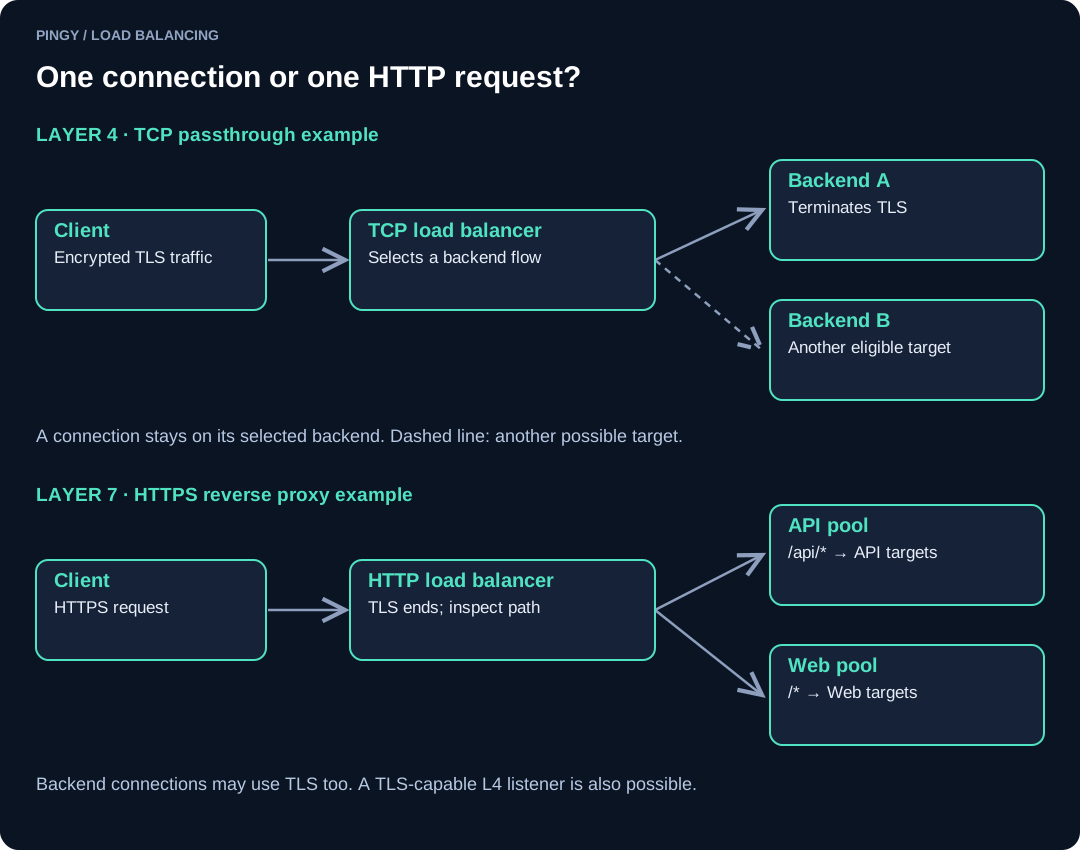
In the upper diagram, a client connects to a virtual IP on TCP port 443. The balancer selects a healthy backend using its configured scheduling rule. With TLS passthrough, the backend holds the certificate and handles the TLS handshake. The balancer forwards the encrypted stream without reading the HTTP path.
Packets belonging to that connection continue to the selected target. If the target fails, an established connection generally breaks. The client must reconnect; the balancer cannot copy application or TLS session state to another server.
A transport-level balancer can proxy connections or use packet-forwarding techniques. Those implementations differ in source-address preservation and return paths. Check the chosen product rather than assuming every Layer 4 balancer uses the same network design.
This approach fits protocols such as PostgreSQL, SMTP and custom TCP services. UDP support and flow handling depend on the product and listener configuration.
Route HTTP requests at Layer 7
The lower diagram shows an HTTPS reverse proxy. The client connects to the balancer, which terminates TLS and reads the HTTP request. Rules send /api/* requests to an API target group and other paths to the web application.
The balancer connects to the selected backend separately. That connection can also use TLS. Encrypting both hops does not mean the client has a single uninterrupted TLS session with the application.
Common routing inputs include the HTTP host, path, method and headers. Supported rules vary by product. A reverse proxy may also provide request logs, authentication integration, rate limits or a web application firewall, but those capabilities are not automatic properties of every Layer 7 deployment.
After a WebSocket upgrade, the connection remains associated with its backend. HTTP routing does not make an established WebSocket session movable between servers.
TLS termination does not define the layer
A transport-level product can terminate TLS without inspecting HTTP. AWS Network Load Balancer, for example, supports TLS listeners. Conversely, a Layer 7 proxy can handle plaintext HTTP when that is appropriate for the network.
For an encrypted HTTP request, the component inspecting its path needs access to the decrypted request. Choose where certificates and keys live, how backend certificates are validated, and where client-certificate authentication occurs. Verify those settings independently of the product's Layer 4 or Layer 7 label.
| Decision | Transport routing | HTTP request routing |
|---|---|---|
| Unit selected | Connection or flow | Request, subject to protocol behavior |
| Useful routing inputs | Addresses, ports and flow information | Host, path, headers and other supported HTTP fields |
| Non-HTTP services | Often a suitable fit | Requires support for that application protocol |
| TLS | Passthrough or termination, depending on the product | Terminate HTTPS before inspecting HTTP |
| Backend failure | Existing connections may break | Requests may fail; retries need an explicit policy |
Health checks are another configuration decision
Do not confuse the traffic-routing layer with the health-check protocol. A transport-level load balancer may support HTTP health checks. A TCP check only proves that something accepted a connection; it does not prove an application can serve a useful response.
For an HTTP service, choose a readiness endpoint that represents the work the backend must perform. Avoid making a nonessential dependency failure remove every backend at once. Define how many failures remove a target, how many successes restore it, and what happens if every target fails. Some products can send traffic to unhealthy targets in an all-unhealthy condition.
External monitoring then checks the public route through DNS, TLS, the balancer and the application. Those probes complement internal checks. They neither migrate sessions nor prove that every user journey works.
Test the choice with your workload
Begin with the routing requirement. Host- or path-based HTTP routing calls for an application-aware proxy. A non-HTTP service or deliberate TLS passthrough design usually calls for a transport-level option.
Then run a small failure exercise in a test environment:
- Send identifiable requests and record which backend receives them.
- Make one backend fail its health check and observe new requests and existing connections separately.
- Restore the backend and confirm the recovery threshold.
- Test timeouts, retries and connection draining during a deployment.
- Compare latency, errors and resource use at the expected concurrency.
There is no useful universal latency penalty to quote for Layer 7. Protocols, payloads, TLS, logging, instance size and configuration all affect the result. Measure the design you intend to operate.