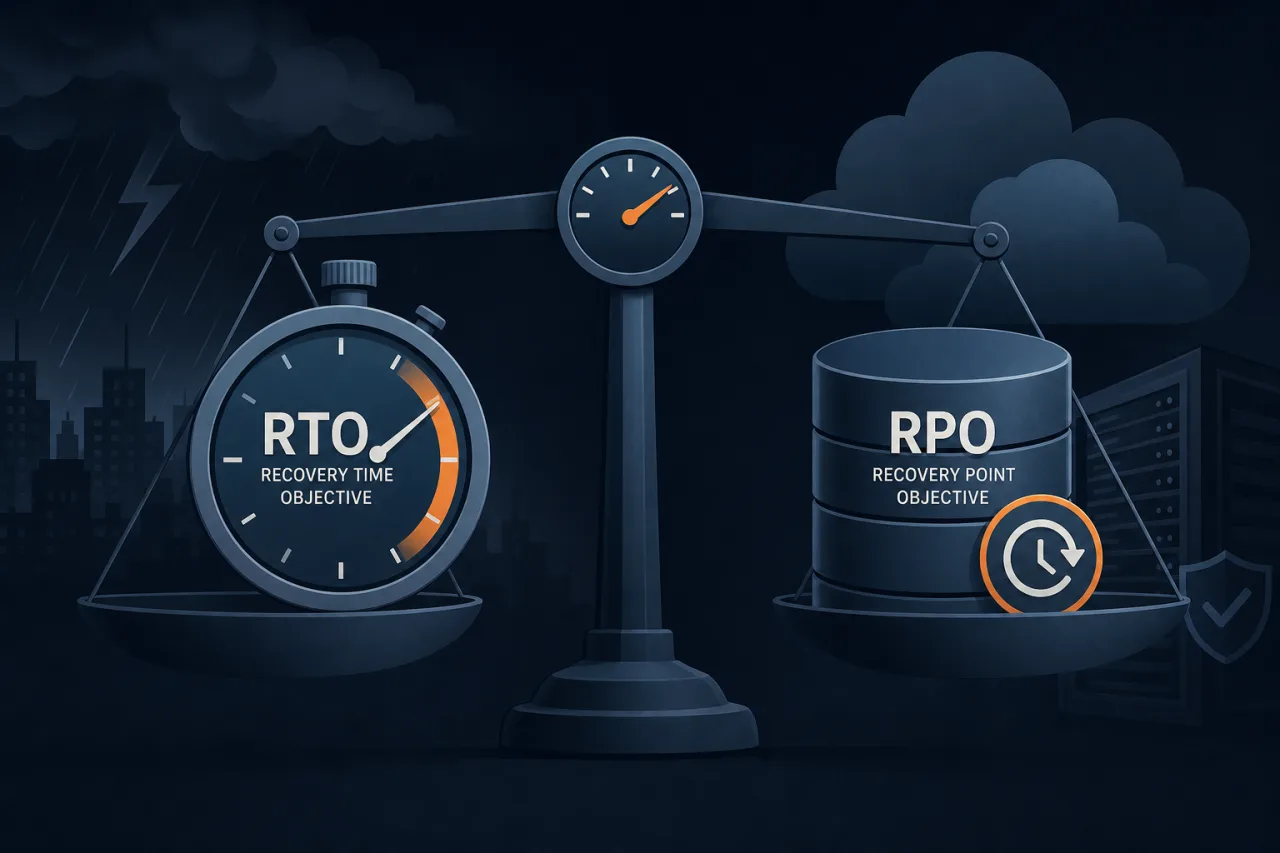
What RTO and RPO Actually Mean
Two acronyms dominate every disaster recovery conversation, and they're worth getting precise about.
RPO — Recovery Point Objective is the maximum amount of data loss your business can tolerate, expressed as time. If your RPO is 1 hour, you're saying: losing up to 60 minutes of data is acceptable. Your backup or replication strategy must ensure you can always restore to a point no older than that.
RTO — Recovery Time Objective is the maximum acceptable downtime after an incident. If your RTO is 4 hours, your systems, staff, and runbooks must be capable of restoring service within that window.
Neither number is a technical target first — they're business decisions that have technical consequences.
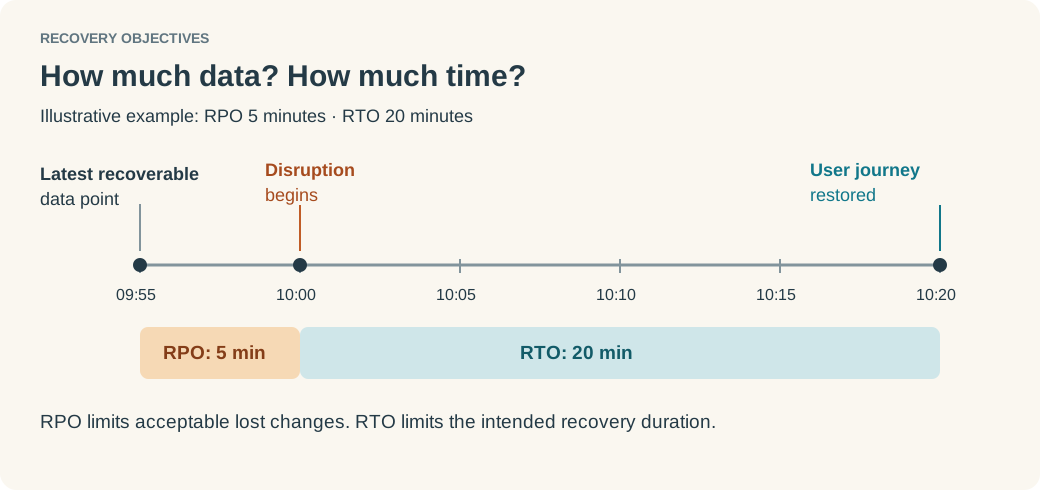
Why "As Low As Possible" Is the Wrong Answer
Engineering teams often default to the most aggressive targets they can imagine. Zero data loss. Instant failover. In practice, this creates two problems:
- Cost mismatch. Synchronous multi-region replication, hot standby clusters, and sub-minute failover automation are expensive. Paying for them when your business can tolerate 4 hours of downtime is waste.
- False confidence. Targets you can't actually meet during an incident are worse than honest ones. An RTO of 15 minutes that you've never tested is not an RTO — it's a wish.
The goal is targets that are achievable, tested, and proportional to business impact.
How to Derive the Right Numbers
1. Start With Business Impact Analysis
Before opening a spreadsheet, talk to stakeholders outside engineering. The questions that matter:
- What is the cost of one hour of downtime — in revenue, SLA penalties, or customer trust?
- Which systems are revenue-critical versus supporting?
- Are there regulatory or contractual minimums (e.g., SOC 2, HIPAA, financial services rules)?
A B2B SaaS product with enterprise contracts and uptime SLAs will have different answers than an internal analytics dashboard.
2. Tier Your Systems
Not everything warrants the same targets. A common three-tier model:
| Tier | Example | Typical RTO | Typical RPO |
|---|---|---|---|
| 1 — Critical | Payment processing, auth | < 1 hour | Near-zero |
| 2 — Important | Core app features | 4–8 hours | 1–4 hours |
| 3 — Non-critical | Internal reporting | 24–72 hours | 24 hours |
Assign every system to a tier before a disaster happens. The middle of an incident is the wrong time to debate whether the billing service is Tier 1.
3. Work Backwards to Infrastructure Requirements
Once you have targets, the infrastructure choices follow:
- RPO of minutes → synchronous replication or continuous WAL shipping; point-in-time recovery enabled
- RPO of hours → scheduled snapshots, verified offsite copies
- RTO of < 1 hour → pre-provisioned warm standby, automated failover, runbooks rehearsed quarterly
- RTO of hours → documented manual failover procedure, infrastructure-as-code so you can rebuild predictably
This is the direction the conversation should flow: business tolerance → data durability requirements → compute and networking architecture.
The Gap Between Targets and Reality
Having an RTO is not the same as being able to meet it. Common gaps:
- Backups exist but restoration has never been tested end-to-end
- Runbooks reference systems or credentials that no longer exist
- Failover is automated but monitoring doesn't detect the triggering condition fast enough
- Recovery depends on a single engineer who is unavailable at 2 a.m.
Run a tabletop exercise at least twice a year. Pick a scenario (database corruption, full region outage, accidental mass deletion), walk through your response step by step, and measure actual recovery time against your RTO.
Where Uptime Monitoring Fits
Your RTO clock starts when you know there's an incident — not when the incident actually began. Detection lag directly eats into your recovery window.
Multi-region monitoring (where probes check your endpoints from geographically distributed locations) helps separate real outages from single-region network blips, and gets you accurate time-to-detect. If you're targeting a 30-minute RTO, you cannot afford a 10-minute detection delay.
A Practical Checklist Before You Finalize Your Targets
- Business stakeholders have signed off on acceptable downtime per system tier
- RPO is mapped to a specific backup frequency and verified restore time
- RTO accounts for detection time, not just recovery time
- Failover runbooks are documented, version-controlled, and accessible without the system they describe
- At least one full DR test has been completed in the last 12 months
- On-call rotation covers the recovery procedure — not just one person
- Targets are reviewed annually or after any significant architecture change
Key Takeaways
- RTO is maximum acceptable downtime; RPO is maximum acceptable data loss — both are business decisions first.
- "As low as possible" is not a target. It leads to either wasted spend or unmet commitments.
- Tier your systems. Not everything is Tier 1.
- Work backwards from your targets to derive infrastructure requirements, not the other way around.
- Detection lag counts against your RTO — monitoring speed matters.
- An untested RTO is a guess. Validate it with real drills.