The Core Difference in One Sentence
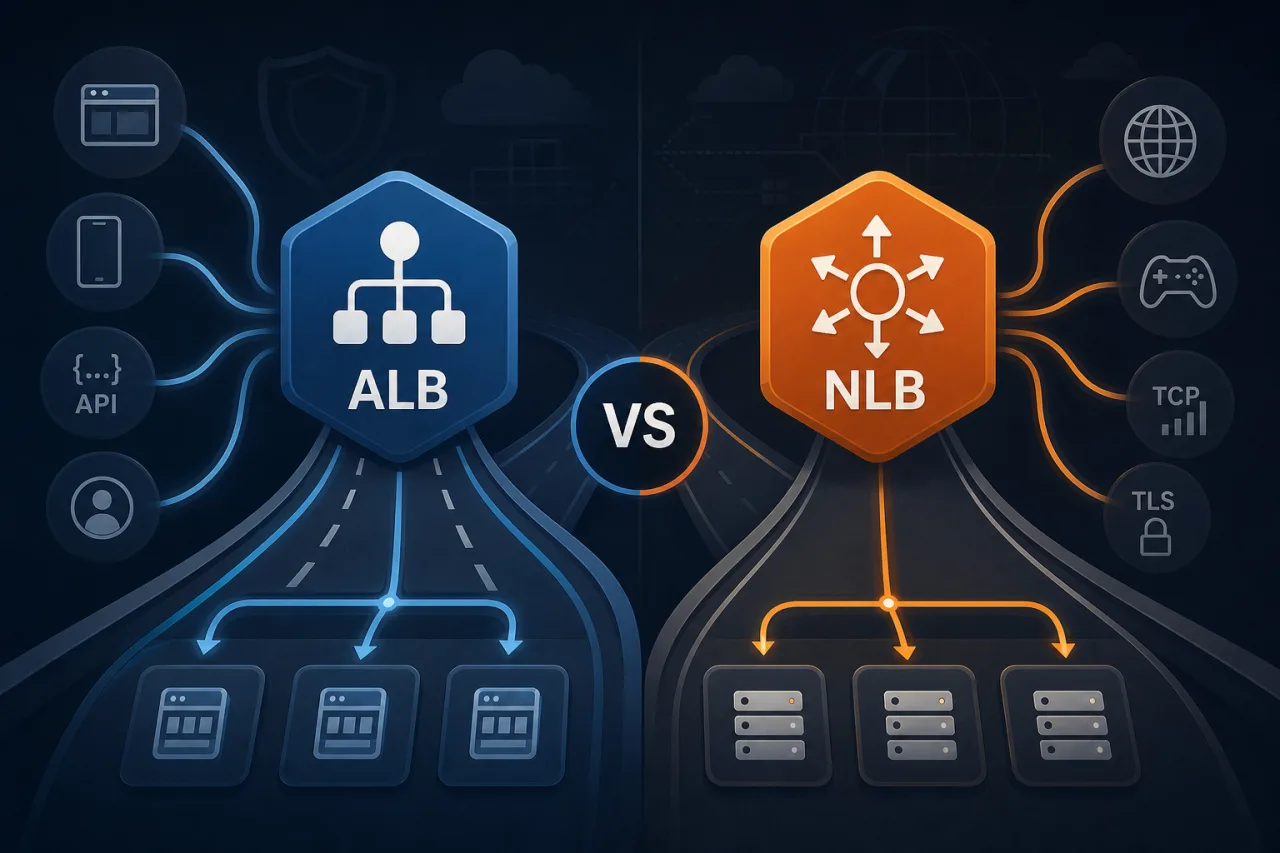
ALB operates at Layer 7 (HTTP/HTTPS) and makes routing decisions based on request content; NLB operates at Layer 4 (TCP/UDP/TLS) and routes based on IP and port with near-zero added latency.
Everything else flows from that.
When to Use an Application Load Balancer
ALB is the right call when your routing logic depends on what's inside the request.
ALB shines for:
- Path-based routing — send
/api/*to one target group and/static/*to another - Host-based routing — route
app.example.comandadmin.example.comthrough a single load balancer - HTTP/2 and gRPC — ALB natively terminates both
- WebSockets — supported out of the box
- Authentication — native OIDC and Cognito integration via listener rules, so you can offload auth before traffic reaches your service
- WAF integration — attach AWS WAF directly to the ALB for Layer 7 filtering
- Detailed access logs — per-request logs include target processing time, response codes, and the matched rule
Typical ALB use cases
- Microservices behind an API gateway pattern
- Multi-tenant SaaS apps using subdomain routing
- Container workloads on ECS or EKS where services share a single load balancer
When to Use a Network Load Balancer
NLB is the right call when you need raw throughput, predictable latency, or non-HTTP protocols.
NLB shines for:
- Ultra-low latency — NLB adds microseconds, not milliseconds; ALB adds a small but real overhead for HTTP parsing
- Static IP addresses — NLB provides one static IP per AZ, useful when clients or firewalls require IP allowlisting
- TCP/UDP workloads — databases, game servers, IoT devices, DNS, custom binary protocols
- TLS passthrough — NLB can forward encrypted traffic without terminating it, so your backend sees the original TLS session
- Extreme throughput — NLB scales to millions of requests per second without pre-warming
- AWS PrivateLink — NLB is required as the underlying mechanism when exposing services via PrivateLink
Typical NLB use cases
- Self-managed databases (Postgres, MySQL, Redis) that need a stable endpoint with failover
- Financial or trading systems where microseconds matter
- Exposing internal services to other AWS accounts via PrivateLink
Side-by-Side Comparison
| Feature | ALB | NLB |
|---|---|---|
| OSI Layer | 7 | 4 |
| Protocols | HTTP, HTTPS, gRPC, WebSocket | TCP, UDP, TLS |
| Static IP | No (use Global Accelerator) | Yes, per AZ |
| Content-based routing | Yes | No |
| WAF support | Yes | No |
| TLS termination | Yes | Yes (or passthrough) |
| Source IP preservation | Via X-Forwarded-For header | Native (client IP visible to target) |
| Health check granularity | HTTP status codes, path | TCP connect, HTTP ping |
| Added latency | Low (single-digit ms) | ~microseconds |
A Simple Decision Checklist
Before you provision, answer these:
- Is your protocol HTTP or HTTPS? If yes, ALB is the default choice unless you have a specific reason for NLB.
- Do you need path or host routing? ALB only.
- Do clients need to allowlist a fixed IP? NLB.
- Are you exposing a TCP service (database, MQTT, custom protocol)? NLB.
- Do you need AWS WAF at the load balancer level? ALB only.
- Are you building a PrivateLink endpoint service? NLB only.
- Is latency in the sub-millisecond range a hard requirement? NLB.
If you answered yes to anything in steps 3–7, go NLB. If only step 1 or 2, go ALB.
A Note on Health Checks and Monitoring
Both ALB and NLB support health checks, but ALB's are more expressive — you can check a specific HTTP path and assert on response codes (e.g., expect 200 on /health). NLB health checks confirm TCP connectivity or optionally send an HTTP request, but they don't inspect response bodies.
Neither replaces external monitoring. A load balancer health check only tells you whether a target is reachable from inside your VPC. It won't catch a misconfigured DNS record, a regional AWS outage, or a degraded path between your users and your infrastructure. Running synthetic checks from multiple geographic locations — what tools like Pingy do — gives you visibility into what real users actually experience, separate from what your load balancer reports internally.
Key Takeaways
- ALB = Layer 7, HTTP-native, rich routing rules. Use it for web apps, APIs, and microservices.
- NLB = Layer 4, protocol-agnostic, lowest latency, static IPs. Use it for TCP/UDP workloads, PrivateLink, and latency-sensitive systems.
- You can use both together: put an ALB behind an NLB when you need a static IP and content-based routing.
- Load balancer health checks are internal signals; external uptime monitoring covers what your users actually see.
- When in doubt for an HTTP workload, start with ALB — it's easier to add routing logic later than to retrofit Layer 7 features onto NLB.