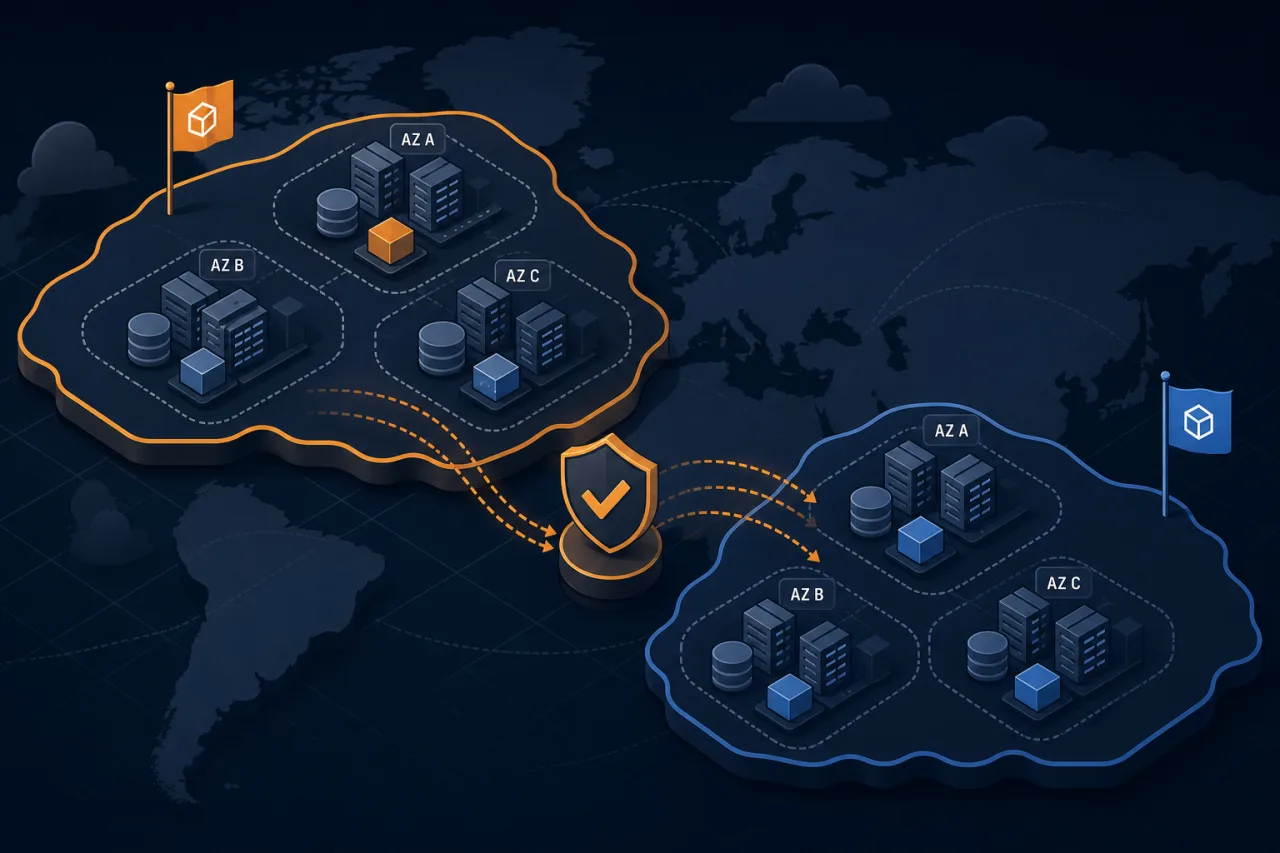
What Are Regions and Availability Zones?
AWS divides its global infrastructure into Regions — independent geographic areas like us-east-1 (Northern Virginia) or eu-west-1 (Ireland). Each Region contains multiple Availability Zones (AZs), which are physically separate data centers within that Region. They have independent power, cooling, and networking, but are connected by low-latency private links.
As of 2024, AWS has over 30 Regions and typically three to six AZs per Region. The exact count matters less than understanding what the boundary means for your architecture.
The Key Distinction
- AZ failure: A single data center or cluster of data centers goes down — hardware failure, power event, networking issue. This is relatively common at small scale.
- Region failure: An entire geographic area becomes unavailable. This is rare but has happened (the us-east-1 incidents of 2021 are well-documented).
Your architecture choices should map to which failure domain you're designing against.
Architecting Across Availability Zones
Multi-AZ is the baseline for any production workload. If you're running everything in a single AZ, you're one hardware event away from downtime.
Compute
When using EC2, spread instances across AZs using an Auto Scaling Group with a balanced placement strategy. In ECS or EKS, configure your tasks or pods to spread across AZs using placement constraints or topology spread constraints.
Load Balancing
Application Load Balancers (ALBs) and Network Load Balancers (NLBs) are inherently multi-AZ — create subnets in each AZ and attach them to the load balancer. Enable cross-zone load balancing so traffic distributes evenly even when one AZ has fewer healthy targets.
Databases
- RDS Multi-AZ: Enables synchronous replication to a standby in a different AZ. Failover is automatic and typically completes in 60–120 seconds.
- Aurora: Stores six copies of your data across three AZs by default. Reader endpoints can serve traffic from any AZ.
- ElastiCache: Use cluster mode with replicas in separate AZs.
- DynamoDB: Automatically replicates across three AZs within a Region — no extra configuration needed.
Storage and Queues
S3 and SQS are already Region-scoped with built-in redundancy across AZs. For EBS, remember that volumes are AZ-specific — if you need cross-AZ resilience, use EFS (which is multi-AZ) or replicate snapshots.
Architecting Across Regions
Multi-region adds significant complexity, so reach for it deliberately: regulatory requirements, latency-sensitive global user bases, or SLA commitments that demand near-zero RTO.
Common Patterns
Active-passive (warm standby): Your primary Region handles all traffic. A secondary Region runs a scaled-down copy with data replicated to it. On failure, you promote the secondary and update DNS. Recovery time is typically minutes.
Active-active: Traffic is split across two or more Regions simultaneously, often using Route 53 latency-based routing or geolocation routing. Each Region can handle the full load if the other fails. This requires conflict-aware data replication — DynamoDB Global Tables or Aurora Global Database are purpose-built for this.
Read replicas in secondary regions: If your workload is read-heavy and globally distributed, Aurora Global Database can replicate with typically under one second of lag to read replicas in other Regions, reducing latency for international users without a full active-active setup.
Data Replication Considerations
Cross-region replication introduces eventual consistency. Before committing to active-active, answer these questions:
- Can your application tolerate reading slightly stale data?
- How do you handle write conflicts if two Regions accept concurrent writes to the same record?
- What is your RPO (recovery point objective) if replication lag causes data loss on failover?
DNS and Traffic Management
Route 53 health checks combined with failover routing policies let you automatically cut over to a secondary Region when your primary endpoint fails health checks. Pair this with low TTLs (60–120 seconds) on failover records so clients pick up the change quickly.
Validating Your Architecture From the Outside
One gap that internal health checks miss: your service might be unreachable from specific geographies even when your AWS infrastructure looks healthy internally. Running uptime monitors from multiple external locations — not just one — surfaces regional DNS propagation issues, BGP routing problems, and edge failures that your internal metrics won't catch. A monitor in Frankfurt telling you your eu-west-1 endpoint is down while us-east-1 is fine is actionable information.
Key Takeaways
- Multi-AZ is the minimum for production; it protects against the most common failure class.
- Multi-region is warranted for strict SLAs, global latency requirements, or regulatory data residency needs — but it adds real operational complexity.
- Use managed services (Aurora, DynamoDB Global Tables, ALB) to handle the low-level replication and failover plumbing.
- Design your Route 53 failover routing before you need it, not during an incident.
- Test your failover paths regularly — an untested failover is not a failover.
- Monitor your endpoints from multiple external locations to catch failures your internal observability will miss.