Why DNS Failover Matters
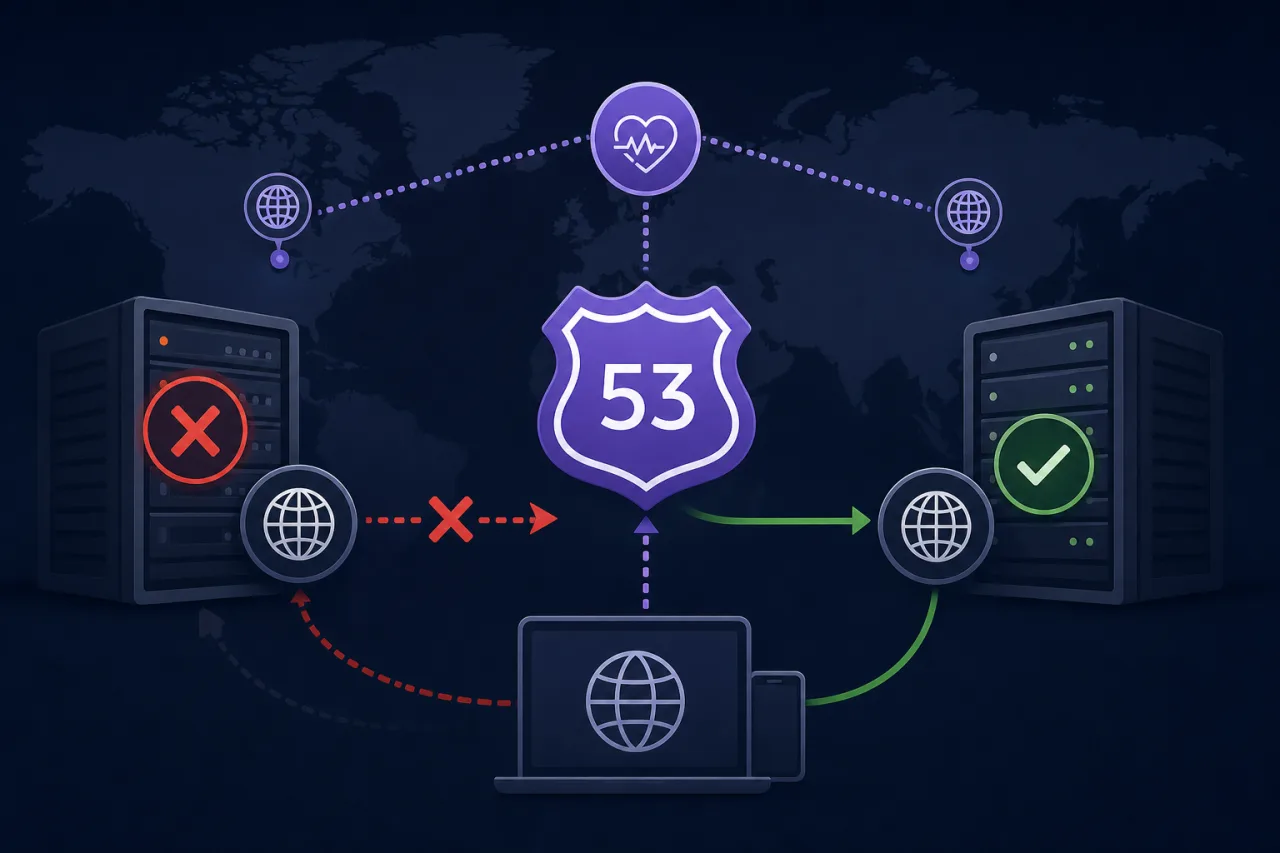
When a primary server or region goes down, you have two options: wait for someone to notice and manually reroute traffic, or let the infrastructure handle it automatically. Route 53's health checks combined with DNS failover give you the second option. Done correctly, clients get redirected to a healthy endpoint within a single DNS TTL window — typically 60 seconds or less.
This guide walks through the exact steps to set it up.
How It Works
Route 53 health checkers are distributed across multiple AWS locations. They poll your endpoint at a configurable interval and mark it healthy or unhealthy based on HTTP status codes, TCP connectivity, or a string match in the response body.
When you associate a health check with a DNS record, Route 53 stops returning that record's value if the check fails. A secondary record — pointing to your fallback — takes over automatically.
Step 1: Create a Health Check
- Open the Route 53 console and choose Health checks → Create health check.
- Give it a descriptive name, e.g.
primary-api-us-east-1. - Choose what to monitor:
- Endpoint — an IP address or domain name (most common)
- Other health checks — calculated checks that combine multiple child checks
- Set the Protocol: HTTP, HTTPS, or TCP.
- Enter the Host name (sent as the
Hostheader), IP address, port, and path (e.g./health). - Under Advanced configuration:
- Request interval: 10 seconds (fast) or 30 seconds (standard). Fast costs more but reduces failover lag.
- Failure threshold: how many consecutive failures before the check is marked unhealthy. 3 is the default.
- Optionally enable string matching — Route 53 will check that the response body contains a specific substring, useful for catching degraded but technically 200-OK responses.
- Save the health check.
Note: Route 53 health checkers originate from a fixed set of IP ranges published by AWS. Make sure your firewall or WAF allows traffic from those ranges, or you'll get false negatives.
Step 2: Create Failover DNS Records
Navigate to your hosted zone and create two records for the same name (e.g. api.example.com).
Primary record
- Record type: A (or CNAME, ALIAS — whatever fits your setup)
- Routing policy: Failover
- Failover record type: Primary
- Value: your primary endpoint IP or load balancer
- Health check: select the health check you just created
- TTL: 60 seconds is a reasonable default; lower values speed up failover but increase query costs
Secondary record
- Same name and type
- Failover record type: Secondary
- Value: your fallback endpoint (another region, a static S3 site, a maintenance page CDN)
- Health check: optional, but recommended if the secondary can also fail
- No health check is required on the secondary if it's a static origin, but associating one prevents Route 53 from returning a dead secondary
Step 3: Test It
Don't wait for a real outage to discover a misconfiguration.
- Manually fail the primary: take down the health check endpoint or block the port, then watch the health check status in the Route 53 console. It should flip to Unhealthy within 30–60 seconds (10-second interval × 3 failures).
- Query DNS in a loop:
watch -n 5 dig +short api.example.com— confirm the answer changes to the secondary IP once the check fails. - Restore and verify recovery: bring the endpoint back up and confirm Route 53 switches back to the primary.
What Route 53 Health Checks Don't Cover
Route 53 health checkers verify reachability from AWS's own infrastructure. They won't tell you:
- Whether users in a specific geography are experiencing packet loss
- Whether your TLS certificate is about to expire
- Whether response times have degraded without a full outage
This is where external uptime monitoring (like Pingy) adds value — checking from multiple geographic locations on your behalf and alerting before a full failure triggers the DNS failover.
Checklist Before Going Live
- Health check endpoint returns a meaningful status (not just a generic 200 that ignores DB connectivity)
- AWS health checker IP ranges are whitelisted in your firewall/WAF
- TTL is set low enough on failover records (≤60 seconds)
- Secondary record is tested independently and confirmed healthy
- CloudWatch alarm is attached to the health check so your team gets notified
- Failover has been tested end-to-end in a staging or production canary environment
Key Takeaways
- Route 53 failover requires a health check on the primary record; the secondary takes over only when that check fails.
- Faster request intervals (10s) reduce failover time but add cost — worth it for production APIs.
- Low TTLs matter: a 300-second TTL on your failover records will keep clients hitting a dead primary long after Route 53 has switched over.
- Always test failover deliberately; DNS behavior under failure is not the place to discover surprises.
- Route 53 health checks are infrastructure-layer checks — pair them with user-facing monitoring for full coverage.